产生的问题
- 前后端集成,前端或者后端无法做到“及时协商,尽早解决”,最终导致问题集中爆发
解决方案
- 首先定义schema [ 计划的提纲 ],并实时跟踪最新的API,降低集成风险
Swagger
- 号称世界上最流行的API框架
- Restful Api 文档在线自动生成器 => API 文档 与API 定义同步更新
- 直接运行,在线测试API
- 支持多种语言 (如:Java,PHP等)
- 官网:https://swagger.io/
最大用途
- 可以通过swagger给比较难理解的属性或接口,增加注释信息
- 接口文档实施跟新
- 可以在线测试接口
SpringBoot集成Swagger
1、新建一个SpringBoot-web项目
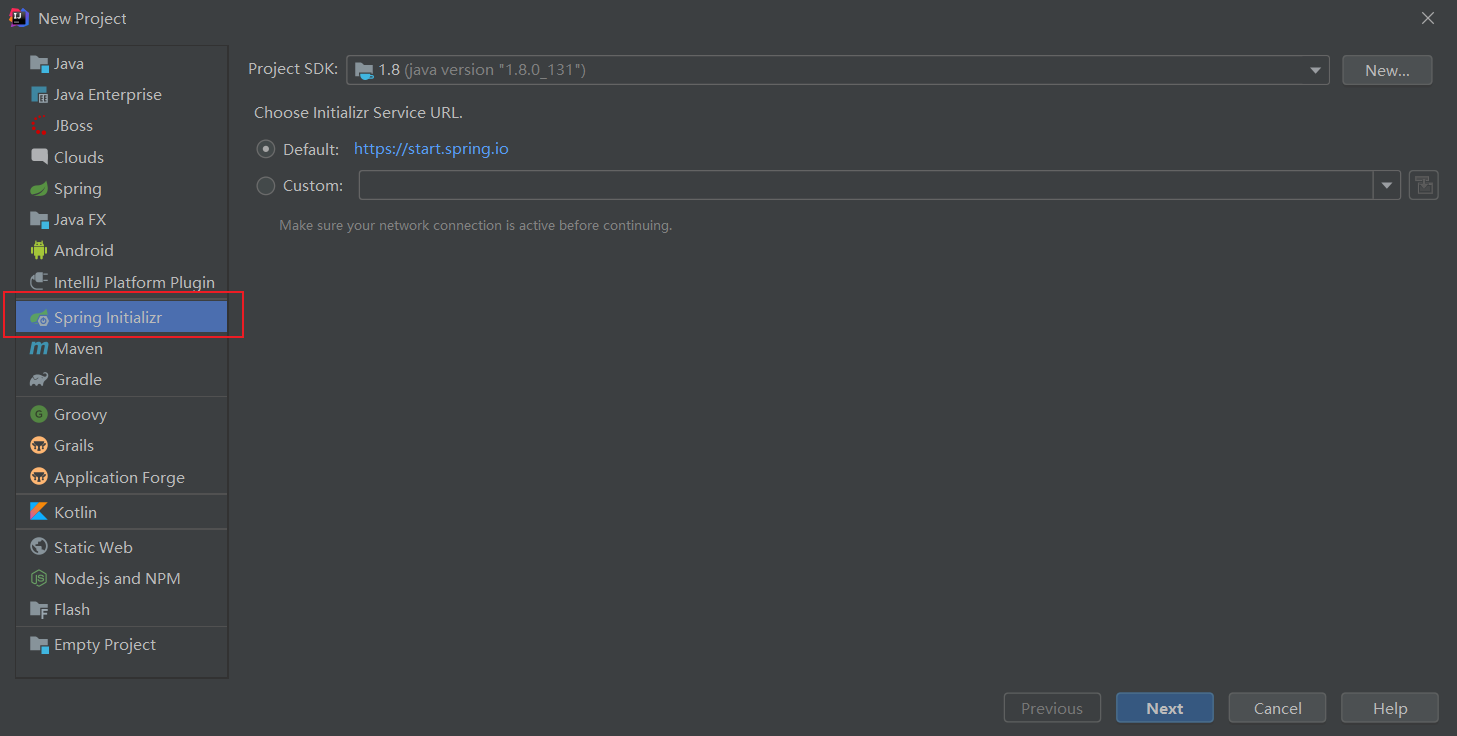
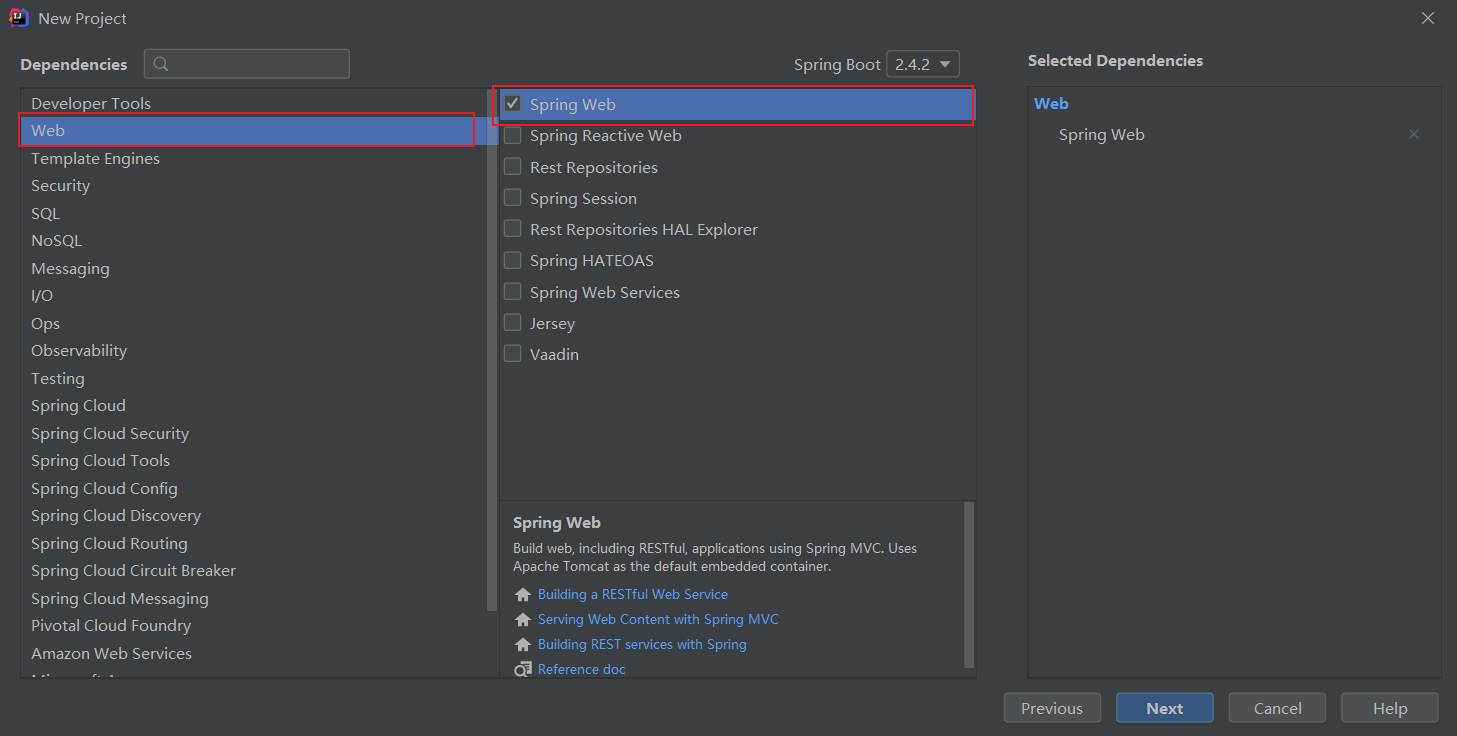
2、添加Maven依赖
1
2
3
4
5
6
7
8
9
10
11
12
|
<dependency>
<groupId>io.springfox</groupId>
<artifactId>springfox-swagger2</artifactId>
<version>2.9.2</version>
</dependency>
<dependency>
<groupId>io.springfox</groupId>
<artifactId>springfox-swagger-ui</artifactId>
<version>2.9.2</version>
</dependency>
|
3、编写一个hello工程
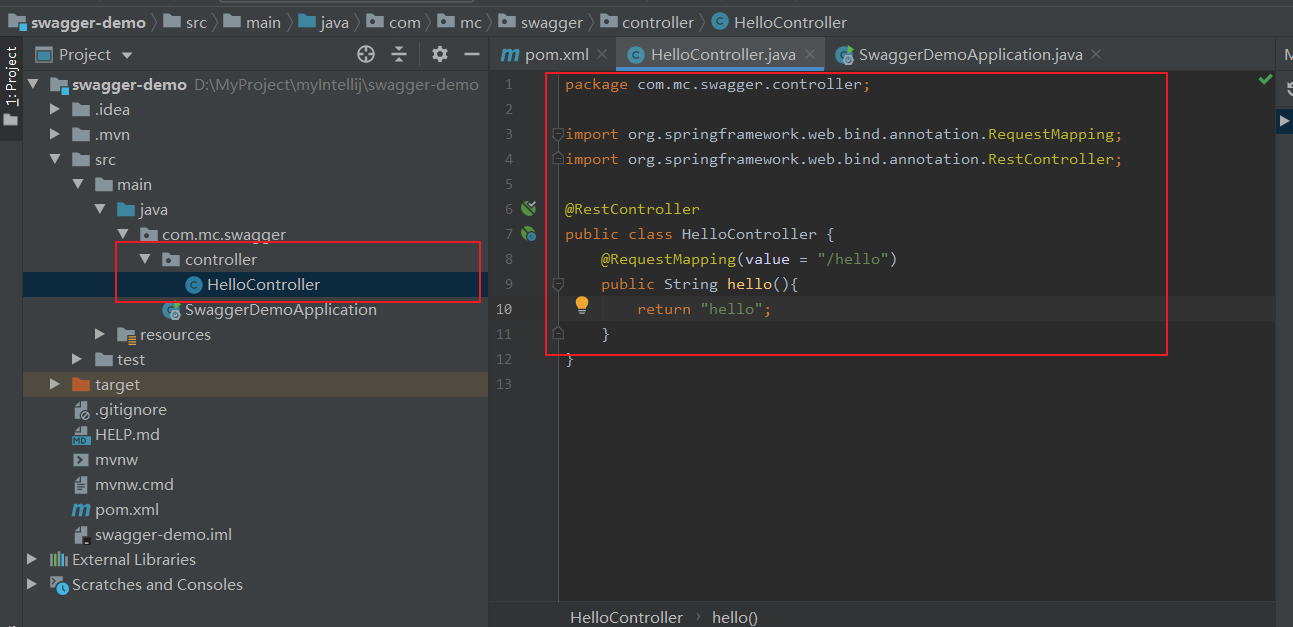
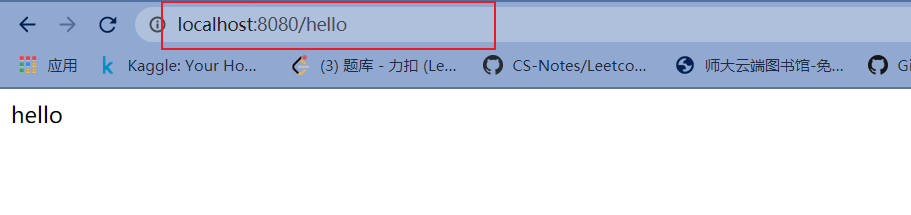
运行项目在浏览器中输入以下网址
4、集成Swagger
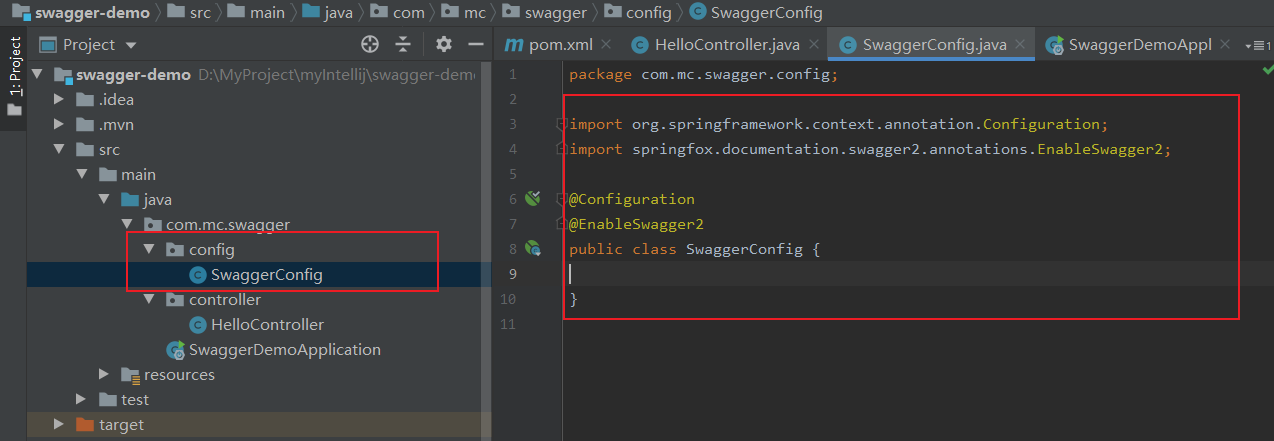
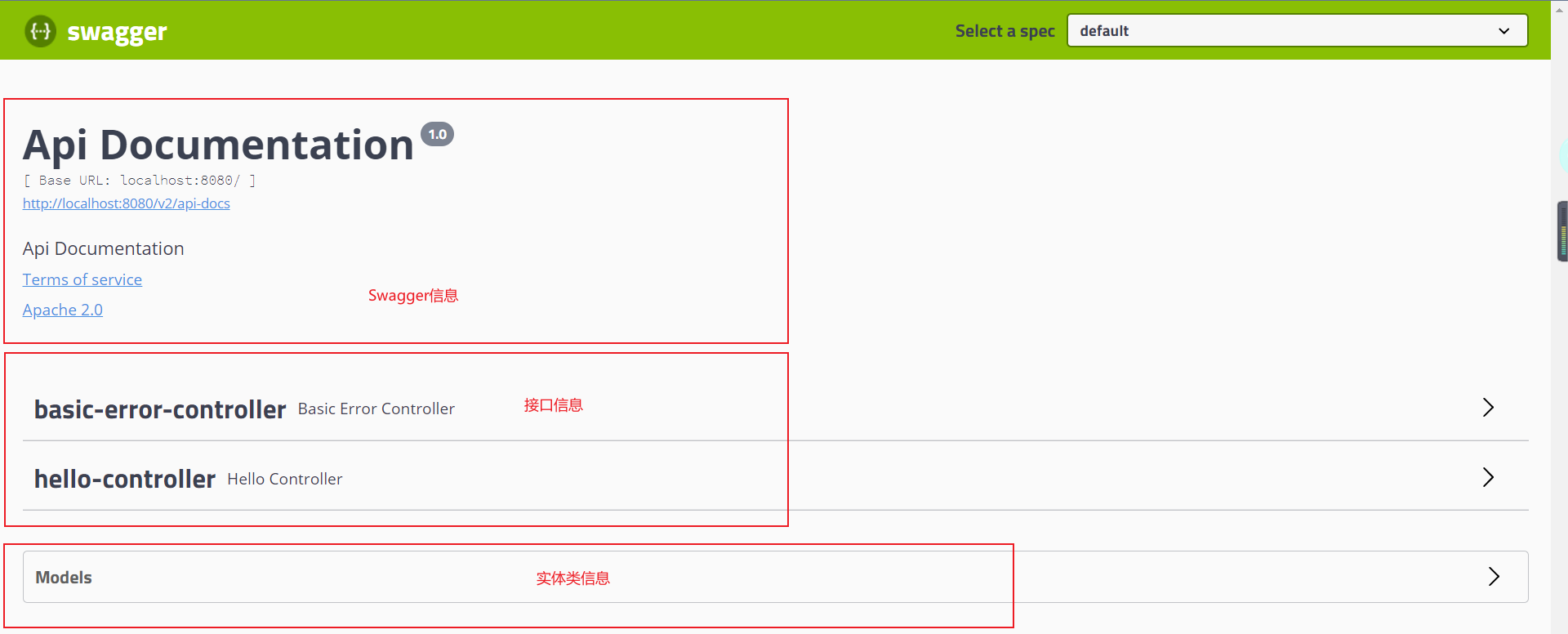
5、测试运行http://localhost:8080/swagger-ui.html
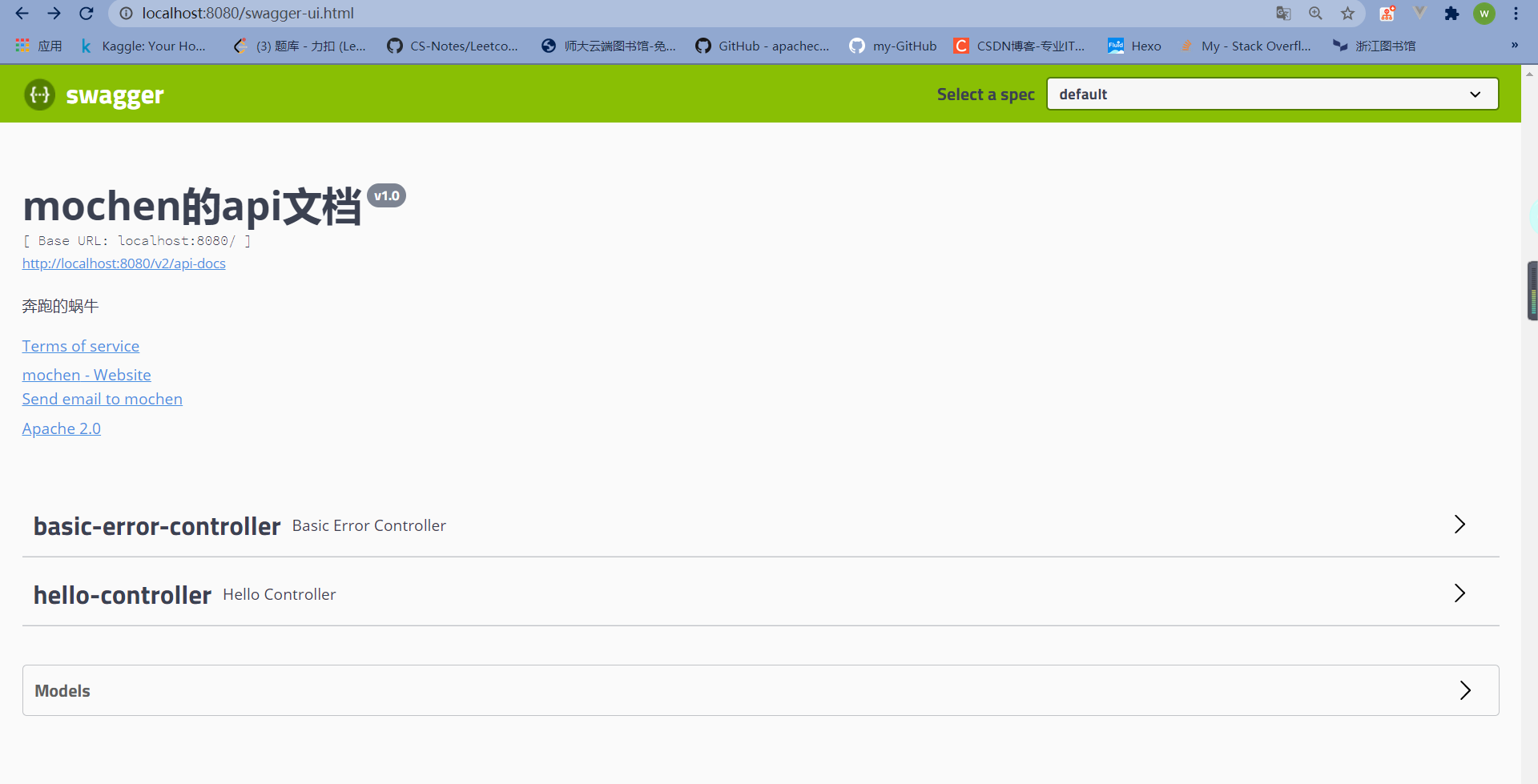
更改Swagger信息
修改SwaggerConfig.java
可以通过apiInfo()属性配置文档信息
1
2
3
4
5
6
7
8
9
10
11
12
13
14
15
16
17
18
19
20
21
22
23
24
25
26
27
28
29
30
31
32
33
34
35
36
37
38
39
| package com.mc.swagger.config;
import org.springframework.context.annotation.Bean;
import org.springframework.context.annotation.Configuration;
import springfox.documentation.service.ApiInfo;
import springfox.documentation.service.Contact;
import springfox.documentation.spi.DocumentationType;
import springfox.documentation.spring.web.plugins.Docket;
import springfox.documentation.swagger2.annotations.EnableSwagger2;
import java.util.ArrayList;
@Configuration
@EnableSwagger2
public class SwaggerConfig {
@Bean
public Docket docket(){
return new Docket(DocumentationType.SWAGGER_2).apiInfo(apiInfo());
}
private ApiInfo apiInfo(){
Contact contact = new Contact("mochen", "http://www.apache.org/licenses/LICENSE-2.0", "2830524481@qq.com");
return new ApiInfo(
"mochen的api文档",
"奔跑的蜗牛",
"v1.0",
"urn:tos",
contact,
"Apache 2.0",
"http://www.apache.org/licenses/LICENSE-2.0",
new ArrayList()
);
}
}
|
重新运行
配置扫描接口
1、构建Docket时通过select()方法配置怎么扫描接口。
1
2
3
4
5
6
7
8
| @Bean
public Docket docket() {
return new Docket(DocumentationType.SWAGGER_2)
.apiInfo(apiInfo())
.select()
.apis(RequestHandlerSelectors.basePackage("com.mc.swagger.controller"))
.build();
}
|
重启项目测试,由于我们配置根据包的路径扫描接口,所以我们只能看到一个类
除了通过包路径配置扫描接口外,还可以通过配置其他方式扫描接口,这里注释一下所有的配置方式:
1
2
3
4
5
6
7
| any()
none()
withMethodAnnotation(final Class<? extends Annotation> annotation)
withClassAnnotation(final Class<? extends Annotation> annotation)
basePackage(final String basePackage)
|
2、除此之外,我们还可以配置接口扫描过滤:
1
2
3
4
5
6
7
8
9
10
| @Bean
public Docket docket() {
return new Docket(DocumentationType.SWAGGER_2)
.apiInfo(apiInfo())
.select()
.apis(RequestHandlerSelectors.basePackage("com.mc.swagger.controller"))
.paths(PathSelectors.ant("/mc/**"))
.build();
}
|
配置Swagger开关
通过enable()方法配置是否启用swagger,如果是false,swagger将不能在浏览器中访问了
1
2
3
4
5
6
7
8
9
10
11
| @Bean
public Docket docket() {
return new Docket(DocumentationType.SWAGGER_2)
.apiInfo(apiInfo())
.enable(false)
.select()
.apis(RequestHandlerSelectors.basePackage("com.kuang.swagger.controller"))
.paths(PathSelectors.ant("/kuang/**"))
.build();
}
|
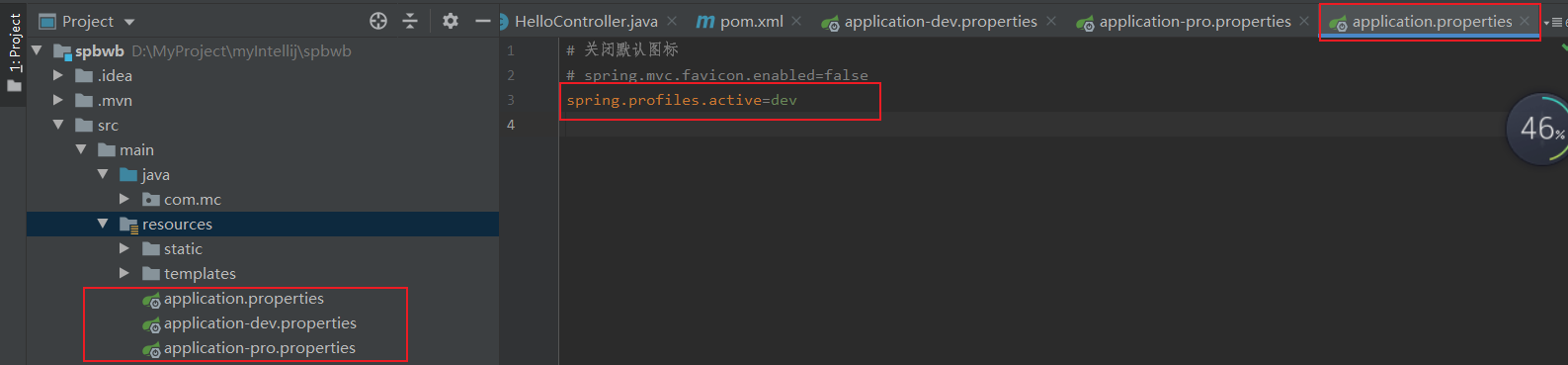
如何动态配置当项目处于test、dev环境时显示swagger,处于prod时不显示?
设置dev pro环境
1
2
3
4
5
6
7
8
9
10
11
12
13
14
15
16
17
| @Bean
public Docket docket(Environment environment) {
Profiles of = Profiles.of("dev", "test");
boolean b = environment.acceptsProfiles(of);
return new Docket(DocumentationType.SWAGGER_2)
.apiInfo(apiInfo())
.enable(b)
.select()
.apis(RequestHandlerSelectors.basePackage("com.kuang.swagger.controller"))
.paths(PathSelectors.ant("/kuang/**"))
.build();
}
|
配置API分组
如果没有配置分组,默认是default
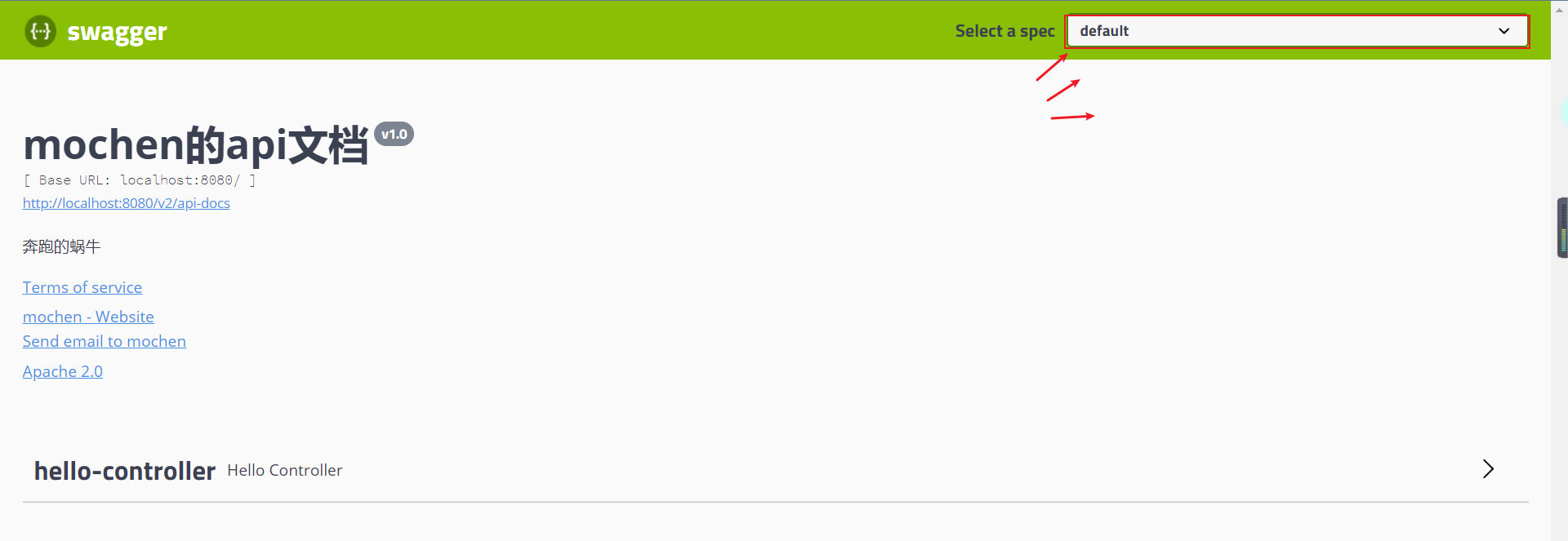
通过groupName()方法即可配置分组:
1
2
3
4
5
6
| @Bean
public Docket docket(Environment environment) {
return new Docket(DocumentationType.SWAGGER_2).apiInfo(apiInfo())
.groupName("hello")
}
|
重启项目查看分组

如何配置多个分组?配置多个分组只需要配置多个docket即可:
1
2
3
4
5
6
7
8
9
10
11
12
| @Bean
public Docket docket1(){
return new Docket(DocumentationType.SWAGGER_2).groupName("group1");
}
@Bean
public Docket docket2(){
return new Docket(DocumentationType.SWAGGER_2).groupName("group2");
}
@Bean
public Docket docket3(){
return new Docket(DocumentationType.SWAGGER_2).groupName("group3");
}
|

实体配置
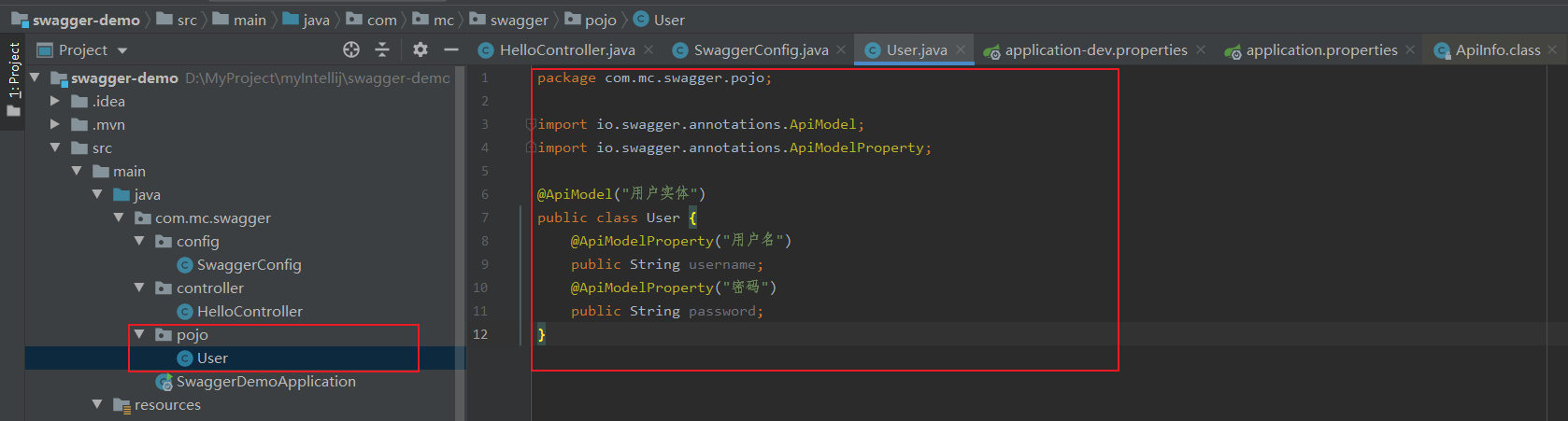
1、新建一个实体类
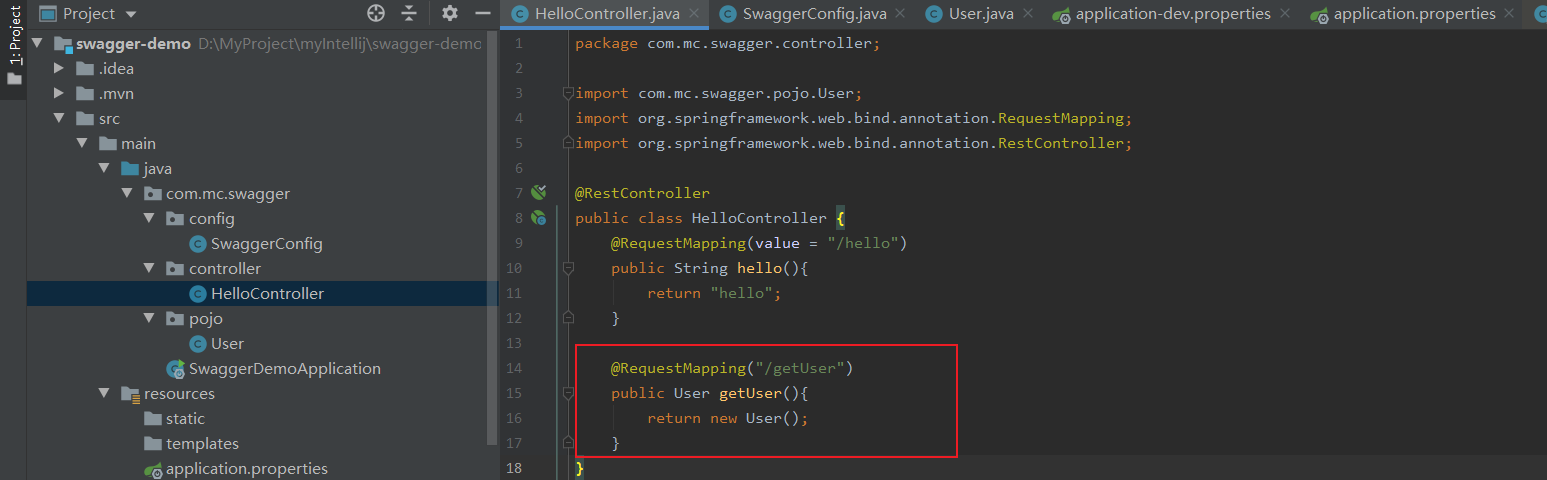
2、只要这个实体在请求接口的返回值上(即使是泛型),都能映射到实体项中:
重启查看
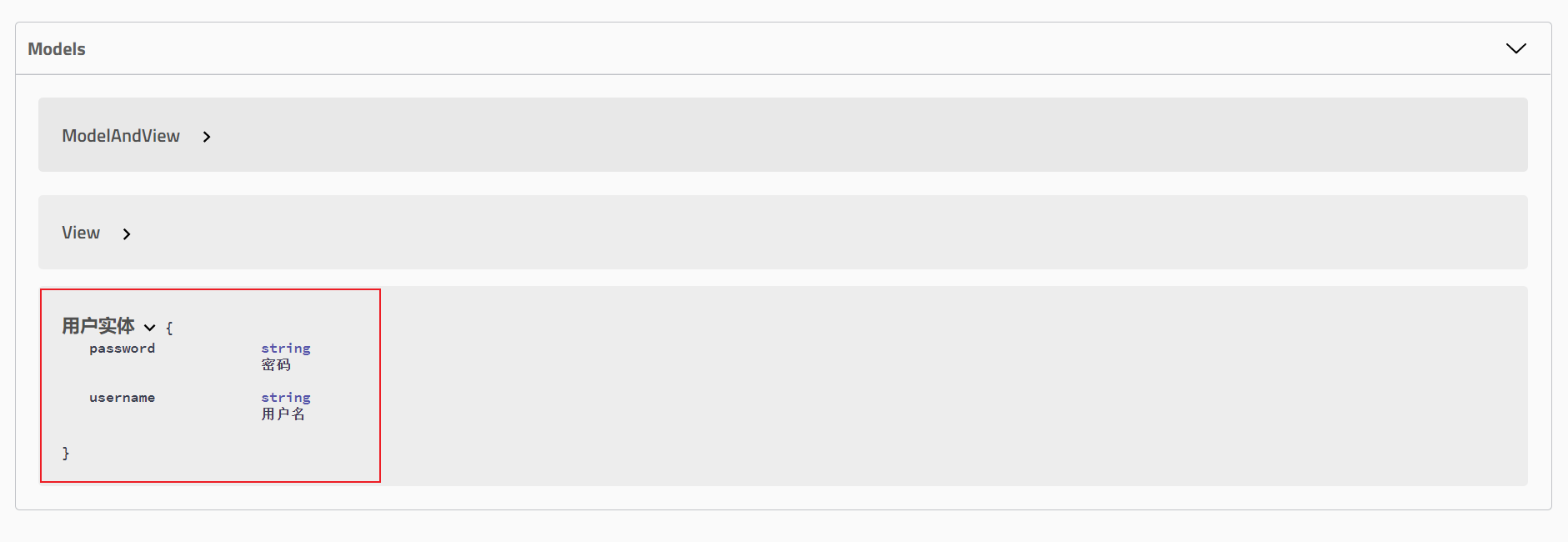
注:并不是因为@ApiModel这个注解让实体显示在这里了,而是只要出现在接口方法的返回值上的实体都会显示在这里,而@ApiModel和@ApiModelProperty这两个注解只是为实体添加注释的。
@ApiModel为类添加注释
@ApiModelProperty为类属性添加注释
常用注解
Swagger的所有注解定义在io.swagger.annotations包下
下面列一些经常用到的,未列举出来的可以另行查阅说明:
| Swagger注解 |
简单说明 |
| @Api(tags = “xxx模块说明”) |
作用在模块类上 |
| @ApiOperation(“xxx接口说明”) |
作用在接口方法上 |
| @ApiModel(“xxxPOJO说明”) |
作用在模型类上:如VO、BO |
| @ApiModelProperty(value = “xxx属性说明”,hidden = true) |
作用在类方法和属性上,hidden设置为true可以隐藏该属性 |
| @ApiParam(“xxx参数说明”) |
作用在参数、方法和字段上,类似@ApiModelProperty |
我们也可以给请求的接口配置一些注释
1
2
3
4
5
6
| @ApiOperation("mochen的接口")
@PostMapping("/mc")
@ResponseBody
public String kuang(@ApiParam("这个名字会被返回")String username){
return username;
}
|
这样的话,可以给一些比较难理解的属性或者接口,增加一些配置信息,让人更容易阅读!
相较于传统的Postman或Curl方式测试接口,使用swagger简直就是傻瓜式操作,不需要额外说明文档(写得好本身就是文档)而且更不容易出错,只需要录入数据然后点击Execute,如果再配合自动化框架,可以说基本就不需要人为操作了。
Swagger是个优秀的工具,现在国内已经有很多的中小型互联网公司都在使用它,相较于传统的要先出Word接口文档再测试的方式,显然这样也更符合现在的快速迭代开发行情。当然了,提醒下大家在正式环境要记得关闭Swagger,一来出于安全考虑二来也可以节省运行时内存。
拓展:其他皮肤
我们可以导入不同的包实现不同的皮肤定义:
1、默认的 访问 http://localhost:8080/swagger-ui.html
如上面所示
1
2
3
4
5
| <dependency>
<groupId>io.springfox</groupId>
<artifactId>springfox-swagger-ui</artifactId>
<version>2.9.2</version>
</dependency>
|
2、bootstrap-ui 访问 http://localhost:8080/doc.html
1
2
3
4
5
6
|
<dependency>
<groupId>com.github.xiaoymin</groupId>
<artifactId>swagger-bootstrap-ui</artifactId>
<version>1.9.1</version>
</dependency>
|
3、Layui-ui 访问 http://localhost:8080/docs.html
1
2
3
4
5
6
|
<dependency>
<groupId>com.github.caspar-chen</groupId>
<artifactId>swagger-ui-layer</artifactId>
<version>1.1.3</version>
</dependency>
|
4、mg-ui 访问 http://localhost:8080/document.html
1
2
3
4
5
6
|
<dependency>
<groupId>com.zyplayer</groupId>
<artifactId>swagger-mg-ui</artifactId>
<version>1.0.6</version>
</dependency>
|